Are 2-in-1 laptops worth it?
Worth it if
2-in-1 laptops are worth it if you want one device for browser work, notes, streaming, light documents and occasional tablet, tent or stand mode. They make the most sense when that flexibility replaces carrying a separate tablet.
Skip it if
Skip a 2-in-1 if you edit video, run demanding software, need heavy multitasking or want guaranteed heavy use for years without a chip upgrade. It is also a poor fit if you want a lightweight, tablet-first device.
Related product reviews to help you decide
$346–$381 across these picks, at time of writing

How 2-in-1 laptops work, and whether the flexibility is worth it
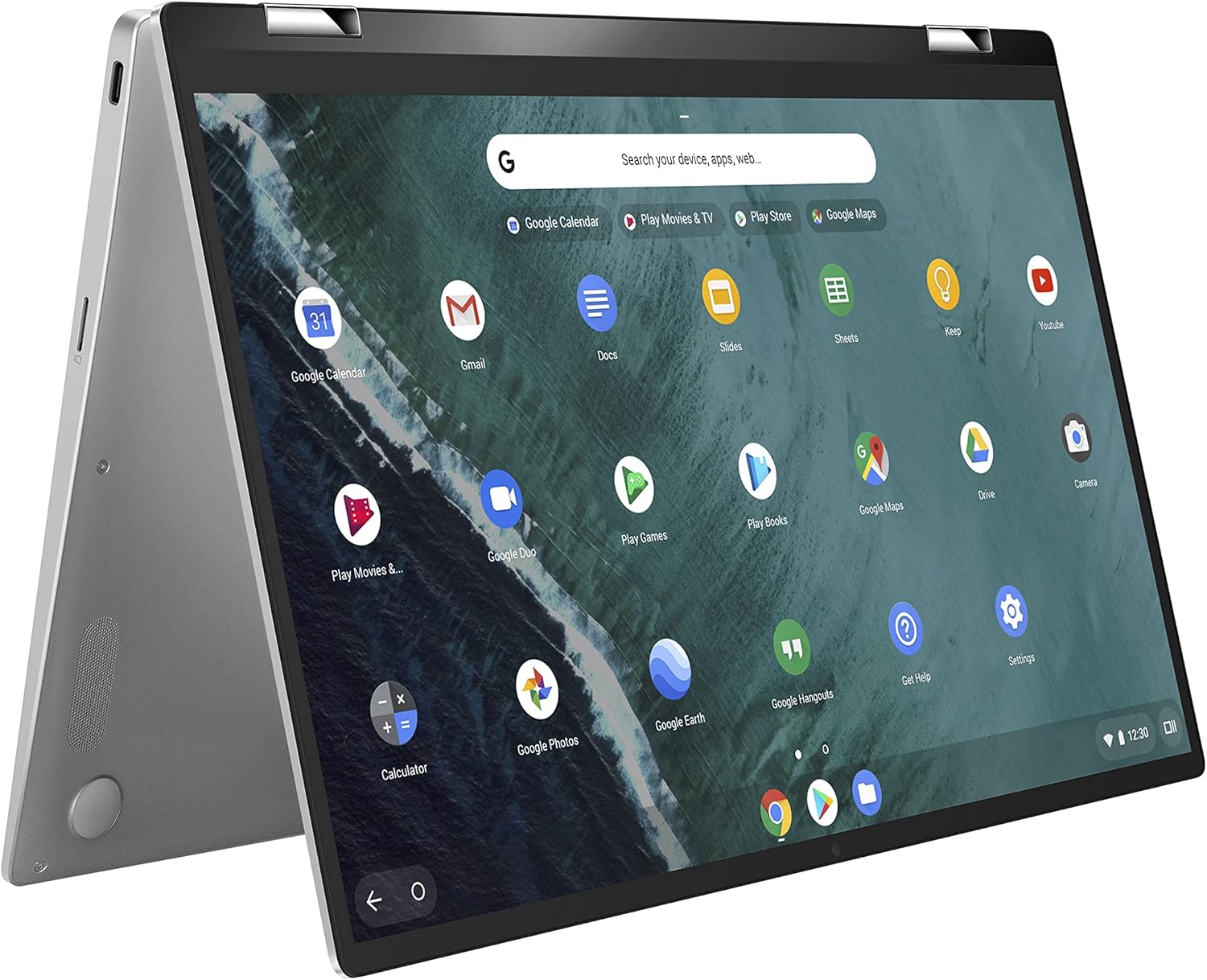
The screen folds around a hinge, so one computer can serve as a conventional laptop, a tent or stand, or a tablet-style device. That changes the purchase from a simple speed decision into a use-pattern decision: you are paying for a second way to hold and operate the same machine, not automatically for more processing power.
In laptop mode, the keyboard and trackpad handle browser tabs, documents and video calls. Fold the display back and the keyboard leaves the interaction, making a 2-in-1 useful for touch navigation, notes, sketching or watching content without balancing a separate tablet. Tent and stand positions can also put the screen forward when a keyboard is unnecessary.
The catch is that the flexible design does not turn an entry-level processor into a fast one. The supplied examples point to the same boundary: these machines suit browsing, streaming, notes and light editing, while demanding software, video editing and heavy multitasking call for more processing headroom. Storage and memory choices can matter more to your routine than the folding hinge, but they do not erase that limit.
So the useful question is not whether the hinge looks clever. It is whether you will use those modes often enough to replace another device or repeated repositioning. If yes, the format earns its place. If not, a regular laptop may be the cleaner buy.
It earns its place for
- You mainly use browser tabs, documents, video calls and streaming.
- You want one device that folds into laptop, tablet, tent and stand modes.
- You take notes, sketch or navigate by touch.
- You prefer a hybrid over carrying a separate tablet.
Save your money if
- You edit video, run demanding software or need heavy multitasking.
- You need strong processing speed rather than flexible screen positions.
- You want a lightweight, tablet-first device.
- You expect years of heavy use without a chip upgrade.
Think in replacements: a 2-in-1 can combine laptop work with occasional tablet, tent or stand use. The value comes from using that second format often, not from folding the screen once for the novelty.
Before you decide
Is it a good idea to buy a 2-in-1 laptop?
Yes, if your work is mostly browsing, notes, streaming, video calls and light documents, and you will use the tablet, tent or stand modes.
What are the downsides of a 2-in-1 laptop?
The main downsides are limited suitability for demanding software, video editing and heavy multitasking, plus the possibility of paying for flexible modes you rarely use.
Are 2-in-1 laptops better than regular laptops?
No, not universally. They are better when touch and folding modes replace a separate tablet or fit your routine; regular laptops are the clearer choice for a straightforward workload.
What laptop should you stay away from?
Stay away from a 2-in-1 that cannot match your workload: avoid this category if you need demanding software, video editing, heavy multitasking or long-term high performance.
2-in-1 laptops are worth it for browser-based work, notes, streaming, light documents and buyers who will use tablet, tent or stand mode. They are not a universal upgrade over regular laptops: demanding software, video editing, heavy multitasking and long-term performance expectations expose the trade-off. The hinge earns its keep only when it replaces a separate device or solves a repeated way of working. Otherwise, buy the simpler laptop that matches your workload.
Every computers product we have reviewed: computers reviews.