Is the ASUS Chromebook Flip C434 worth it?
Worth it, if you know what you're buying it for
Why a small laptop with a big screen sounds too good to be true
You know that moment when you pick up a 14 inch laptop expecting it to feel like a 14 inch laptop, heavy in the bag, wide on the tray table, and it doesn't. It's the size of something smaller. Then you notice the screen folds all the way back into a tablet, and you start wondering if that hinge is a party trick or something you'll actually use in six months. That's the real question with the ASUS Chromebook Flip C434.
How the ASUS Chromebook Flip C434's narrow bezels and hinge actually work
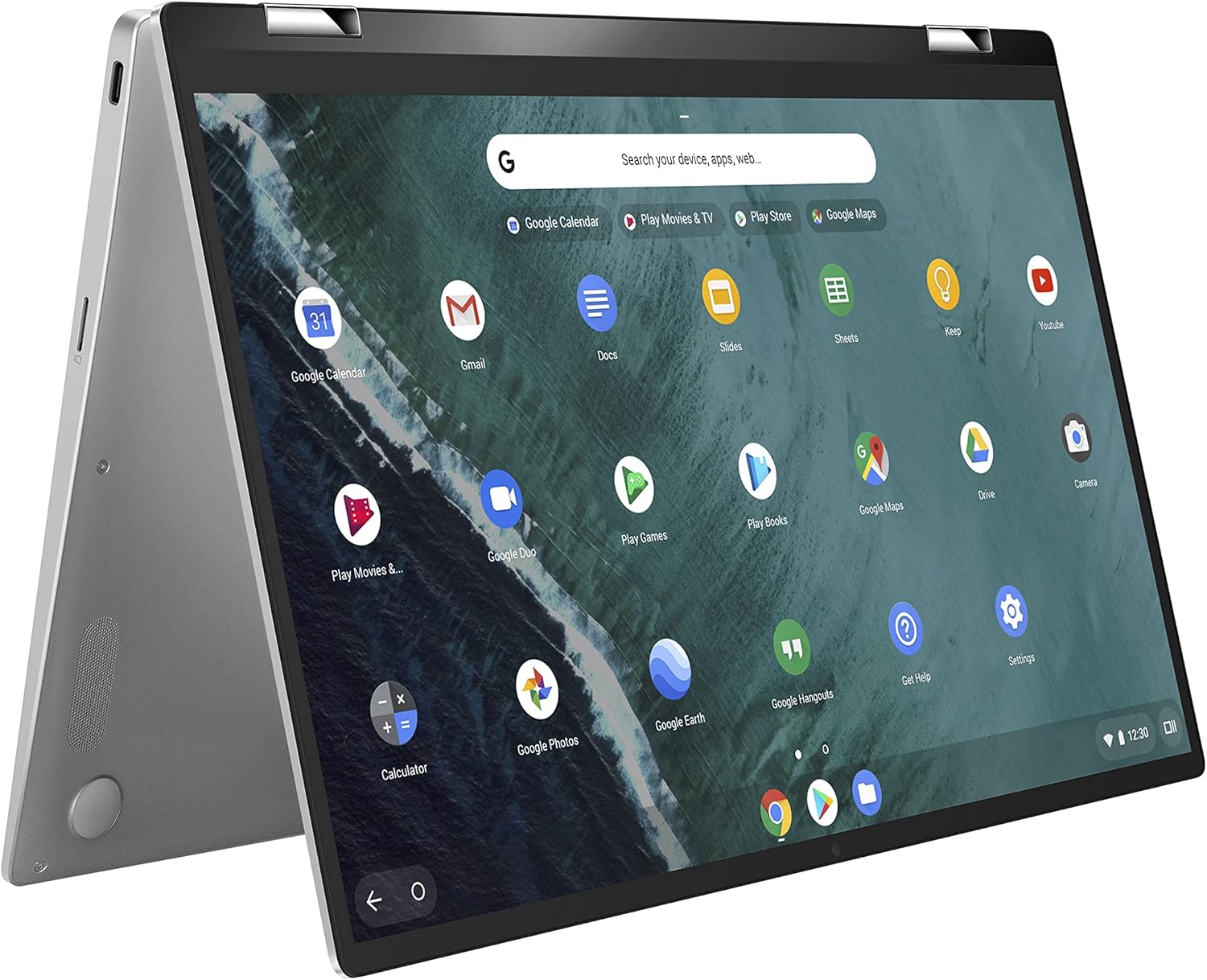
Here's the trick, and it's a genuinely good one. ASUS shaved the bezels around the display down to about 5mm on each side, which means a 14 inch panel physically fits inside a chassis that would normally hold a 13 inch screen. That's not a spec sheet flourish, it changes what you carry: more screen, less bag. The second piece is the 360 degree hinge, which lets that same touchscreen fold flat into tablet mode or prop up as a tent for video calls, because Chrome OS is built to run on touch as easily as a trackpad. None of this needs a powerful chip to feel fast, which is the other half of the design: the Core m3 processor and 4GB of RAM are modest by Windows standards, but Chrome OS is lightweight software, so tabs and web apps open quickly anyway. The all-metal body is what makes the whole thing feel worth folding in the first place, since a hinge on a plastic laptop stops feeling premium fast.
So you're not really buying a fast computer, you're buying a shape: a big screen and a folding hinge packed into a small, light, metal body. That's worth paying for if your work lives in a browser. It's not worth paying for if you're hoping the chip underneath will keep up with anything heavier.
Who the Chromebook Flip C434 is for, and who should look elsewhere
Worth it if
- Your daily work is mostly browser tabs, docs, and video calls
- You want a light, metal 2-in-1 that looks and feels more expensive than it is
- You like the option of tablet or tent mode without carrying a second device
Skip it if
- You need to run demanding software or store large files locally
- You want years of guaranteed heavy use without a chip upgrade
- You're comparing it against a full Windows laptop for the same jobs
Not for anyone who needs serious local storage or heavier processing than a browser can give.
The ASUS Chromebook Flip C434 verdict
If you want a light, good-looking second laptop for browser tabs, email, and video calls that folds flat for movies in bed, this is a quiet yes. If you need it to run demanding apps, store a lot locally, or last untouched for years without a fuss, that's outside what a modest processor and 64GB of storage were ever built to do.
Amazon shoppers rate it 4.2 out of 5 across 1,672 ratings. That is their number, not ours.
Before you go
What year is the ASUS Chromebook Flip C434?
It launched in 2019 as ASUS's flagship convertible Chromebook of that generation, and the core design hasn't been superseded by ASUS since.
Is the ASUS Chromebook Flip C434 touchscreen?
Yes, the 14 inch Full HD display is touch enabled and works with the 360 degree hinge in laptop, tent, stand, and tablet modes.
Are Chromebooks worth buying in 2026?
They're worth it if your work and entertainment live mostly in a browser, since Chrome OS stays fast on modest hardware; they're a poor fit for heavier local software.
By the numbers
computers products reviewedThis one is a yes with a condition attached.
Verdict datasetQuestion indexCC BY 4.0
Full spec sheet
| Color | Silver |
|---|---|
| Hard-Drive Size | 64 GB |
| Operating System | Chrome OS |
| Other Special Features of the Product | Backlit Keyboard |
| Graphics Description | Integrated |
| Graphics Coprocessor | Intel HD Graphics 615 |
| Hard Disk Description | Emmc |
| Item Weight | 2.9 pounds |
Keep comparing






More computers reviews.
Wondering about the category itself? Are Chromebooks Worth It? A Clear Buying Guide