HP Chromebook x360 14 review: flexible Chrome OS work, modest limits
Worth it, if your Chrome OS workload is modest
Worth it or skip it?
Worth it if
- You want Chrome OS business work with touchscreen/convertible flexibility and a roughly 10-hour stated battery target.
Skip it if
- You require more than 4 GB RAM or 64 GB storage, or your bag limit cannot accommodate 4.6 pounds.
Key facts
Listed memory and storageThis modest configuration makes your app and file requirements important before buying.
Seller-stated mixed-use battery lifeUse it as a planning figure, not a guaranteed runtime; another listing states 10 hours and 45 Wh.
A conditional business Chromebook choice
Choose it when Chrome OS business work, convertible touch use, and a roughly 10-hour stated battery target matter more than generous capacity. Check your apps, files, bag limit, and the 4 GB/64 GB configuration first.
Buy on AmazonA laptop that changes posture
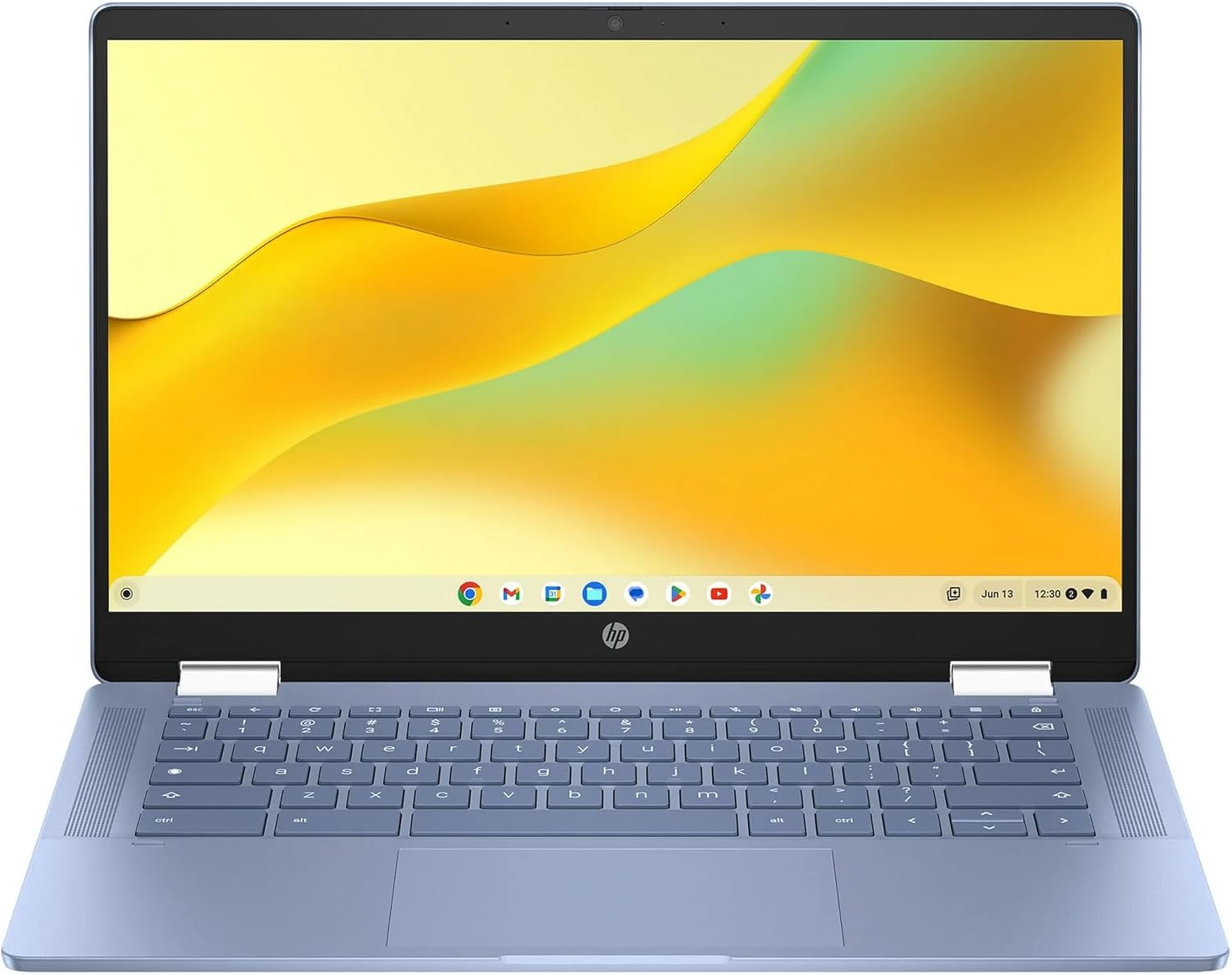
A workday can move from keyboard and Full HD screen to touchscreen interaction when the 2-in-1 hinge earns its keep.
Flexibility with a modest ceiling
The 14-inch convertible combines Chrome OS with a capacitive touchscreen, stylus support, 1920×1080 resolution, and a full-size keyboard. That flexibility is paired with 4 GB RAM and 64 GB eMMC storage, so the hardware sets a modest ceiling for apps and files.
The useful choice is flexibility first—provided your Chrome OS work fits the listed memory and storage.
Before you choose
Does it have a touchscreen and convertible design?
Yes. It is listed as a 14-inch Full HD touchscreen with a 2-in-1 convertible design, capacitive touch, and stylus support.
How much memory and storage does it include?
The listed configuration has 4 GB LPDDR5 RAM and 64 GB eMMC storage.
What battery life is listed?
The seller claims up to 10 hours 15 minutes of mixed use; another listing states 10 hours and 45 Wh. Actual runtime can vary.
Full spec sheet
| Color | Blue |
|---|---|
| Hard-Drive Size | 64 GB |
| Operating System | Chrome OS |
| Other Special Features of the Product | 2-in-1 Design, Support Stylus |
| Graphics Description | Integrated |
| Hard Disk Description | Emmc |
| Item Weight | 4.6 pounds |
| Video Processor | Intel |
| Specific Uses For Product | Business |
| Form Factor | Convertible |
| Graphics Ram Type | DDR4 SDRAM |
| Compatible Devices | Mice, keyboards, external displays, storage devices, printers, stylus |
| Item Dimensions L x W x Thickness | 8.28"L x 12.72"W x 0.81"Th |
| Optical Storage Device | No |
| Video Output | HDMI |
| Operating System Family | ChromeOS |
| Screen Size | 14 inches |
| Resolution | 1080p |
| Native Resolution | 1920 x 1080 pixels |
| Display Type | LCD |
| Display Resolution Maximum | 1920x1080 |
| Display Technology | LCD |
| Display Refresh Rate in Hertz | 60 |
| Touch Screen Type | Capacitive |
| Display Maximum Resolution | 1920x1080 |
| Connectivity Technology | USB |
| Wireless Compability | 802.11ax |
| Battery Cell Type | Other Than Listed |
| Battery Life | 10 hours |
| Lithium-Battery Energy Content | 45 watt-hours |
| Human-Interface Input | Touchscreen |
| Keyboard Description | Standard, Full-size |
| Processor Series | Intel N100 |
| Processor Speed | 1.8 GHz |
| Processor Count | 1 |
| Processor Brand | Intel |
| CPU Model Number | Intel Processor N100 |
| CPU Model Generation | 11th Gen |
| CPU Model Speed Maximum | 3.4 GHz |
| Brand | HP |
| Model Name | 14b-cd0130wm |
| Model Year | 2024 |
| Model Number | 14b-cd0130wm |
| Built-In Media | Webcam |
| Unit Count | 1 Count |
| Number of Items | 1 |
| Number of Packs | 1 |
| Mfr Part Number | 14b-cd0130wm |
| RAM Memory Installed | 4 GB |
| RAM Memory Technology | LPDDR5 |
| Ram Memory Maximum Size | 4 GB |
| Memory Speed | 5200 MHz |
| RAM Type | DDR5 RAM |
| RAM Size | 4 GB |
| Memory Storage Capacity | 64 GB |
| Total Usb Ports | 1 |
| Number of Ports | 1 |
| Hard Disk Size | 64 GB |
| CPU Model | Intel N100 |
| Ram Memory Installed Size | 4 GB |
| Special Feature | 2-in-1 Design, Support Stylus |
| Graphics Card Description | Integrated |
Keep comparing




More computers reviews.
Wondering about the category itself? Are Chromebooks Worth It? A Clear Buying Guide