Is the Acer Chromebook Spin 311 actually worth buying?
Worth it, with the renewed caveat

Why a cheap laptop makes you nervous before you even open it
You open a dozen tabs on a cheap laptop and watch the fan spin up like it's arguing with you. The cursor stutters, the video call freezes mid-sentence, and you start doing the math on whether the machine was ever going to be enough. That's the exact hesitation an Acer Chromebook Spin 311 has to answer before you even open the box.
How the Acer Chromebook Spin 311 actually runs on low specs
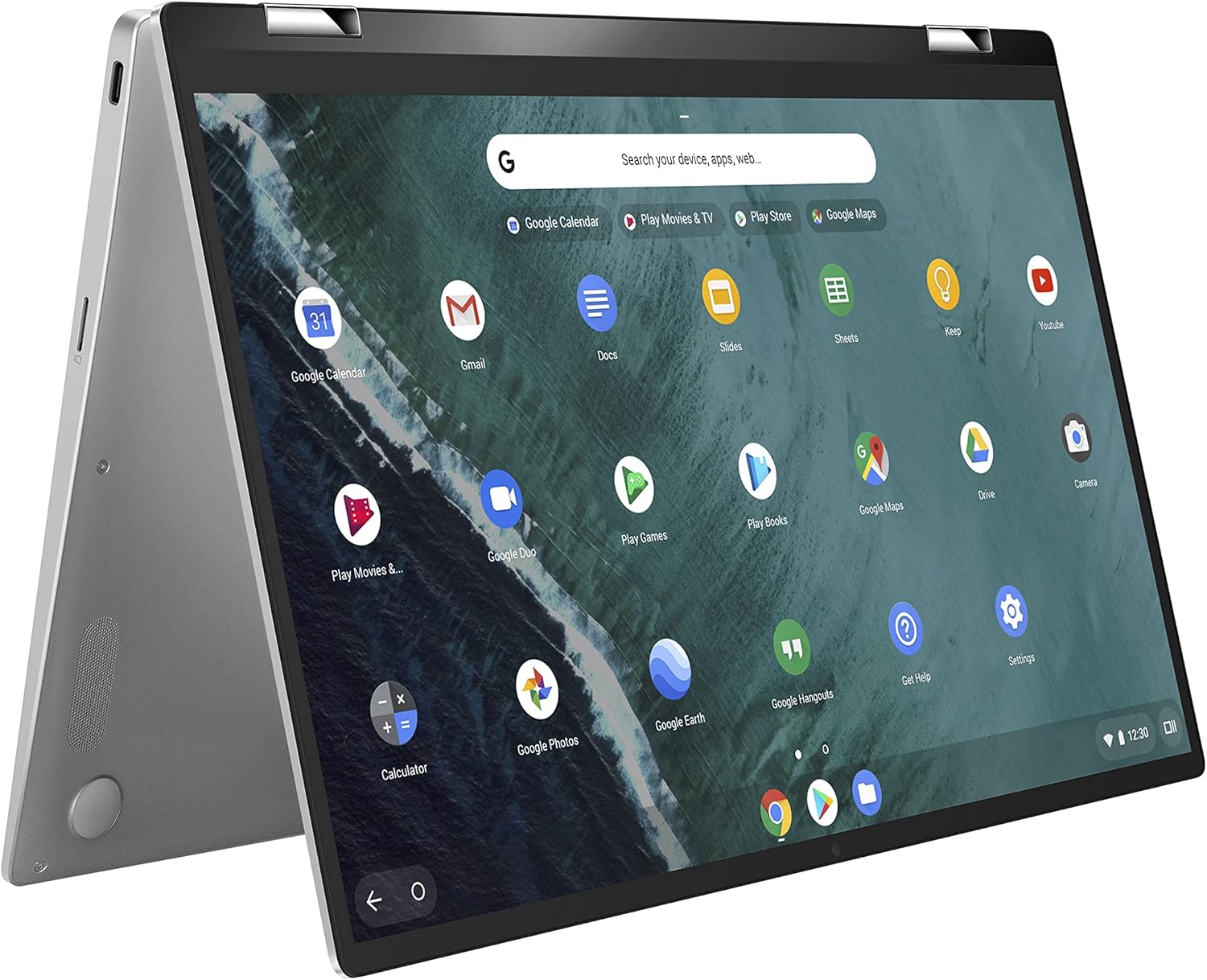
Here's where your money actually goes. This isn't a full-price laptop wearing a used sticker, it's a returned or traded-in Spin 311, run through Amazon's inspection process and resold once it's tested to look and work like new, backed by the Renewed Guarantee if it doesn't. That's the whole reason a touchscreen convertible with a 360-degree hinge and stylus support lands around ninety dollars instead of a couple hundred. The chip is where people get nervous, and I get it. An AMD A6-9220C clocking 1.8 gigahertz, turboing to 2.7, paired with 4GB of RAM, would choke a Windows machine trying to run Chrome, Outlook, and a video call at once. But Chrome OS isn't Windows. It's built around a browser doing the heavy lifting, with most of what you touch, docs, photos, email, living on someone else's server, not this one. The OS updates itself quietly in the background and doesn't ask this chip to hold open the pile of processes Windows does. That's the trade you're actually making: a processor that would be a liability anywhere else is adequate here, because the OS was designed around this kind of hardware, not despite it. The 32GB of eMMC storage follows the same logic, it's not meant to hold your files, it's meant to hold the OS and cache while USB-C handles external drives, monitors, and printers. The integrated Radeon R5 graphics won't touch real gaming, but it'll decode video fine, which is the only graphics job this machine signed up for.
So you're not buying a laptop that competes with a Windows machine on specs, you're buying a browser bolted to a keyboard and a hinge that folds flat for notes. Judged as a Windows PC at this price, the numbers look thin. Judged as what it actually is, a Chrome OS device doing Chrome OS work, the specs are exactly enough.
Who the Acer Chromebook Spin 311 is for, and who should skip it
Worth it if
- you mostly browse, email, and use cloud docs
- you want a cheap second or backup laptop
- you want a touchscreen and stylus for quick notes
- you're fine buying a professionally inspected renewed unit
Skip it if
- you need to multitask heavily or run many demanding apps at once
- you want to edit video or do graphics-heavy work
- you're chasing serious Android gaming performance
- you want a sealed-box new machine, not a renewed one
Not for heavy multitaskers, video editors, or serious Android gamers.
The Acer Chromebook Spin 311 review verdict
If you want something for browsing, email, docs, and the occasional video call, and you don't mind that it's a renewed unit rather than sealed-box new, this is a quiet yes at the price. If you need it to multitask hard, edit video, or run demanding Android games, skip it, no version of this chip and this RAM gets you there, renewed or not.
What this actually removes is the fear of handing a kid, or yourself, an expensive machine for tasks that never needed one. Day one looks like signing into a Google account, opening five tabs, and not thinking about the laptop again, which is the whole point of Chrome OS. The renewed process means someone already checked that this specific unit boots and holds a charge before it shipped, and the Guarantee is there if it doesn't, real comfort on a ninety-dollar machine, not a marketing line.
Amazon shoppers rate it 4 out of 5 across 82 ratings. That is their number, not ours.
Before you go
Is the Acer Chromebook Spin 311 good for everyday browsing and schoolwork?
Yes, its Chrome OS design is built around light browsing, docs, and email, which is exactly what the AMD A6-9220C and 4GB of RAM are meant to handle.
Does the Acer Chromebook Spin 311 support a stylus?
Yes, it supports a stylus and folds into tablet mode through its 360-degree hinge, which is why it's marketed as a 2-in-1.
Is buying a renewed Chromebook safe?
Yes, Amazon Renewed units are inspected and tested before resale and carry the Renewed Guarantee for replacement or refund if something's wrong.
Is 32GB of storage enough on a Chromebook?
Yes, for most Chrome OS use, since files and apps mostly live in the cloud rather than on the local drive.
By the numbers
computers products reviewedThis one is a yes with a condition attached.
Verdict datasetQuestion indexCC BY 4.0
Full spec sheet
| Color | Black |
|---|---|
| Hard-Drive Size | 32 GB |
| Operating System | Chrome OS |
| Other Special Features of the Product | Support Stylus |
| Graphics Description | Integrated |
| Graphics Coprocessor | AMD Radeon R5 |
| Hard Disk Description | Emmc |
| Video Processor | AMD |
Keep comparing


More computers reviews.
Wondering about the category itself? Are Chromebooks Worth It? A Clear Buying Guide