Is the SUPVAN label maker worth it for home and office labeling?
Worth it, if you're already living on your phone anyway

Why homemade labels never look right for long
You've stood over a drawer of loose cords or a shelf of identical spice jars, marker in hand, and watched the label smear before the ink even dries. Masking tape peels at the corner within a week, and handwriting that looked neat on the counter reads like a guess from across the room. A supvan label maker exists to fix exactly that moment, the small daily failure of trying to make something legible and permanent with the wrong tools.
How the SUPVAN label maker actually prints without ink
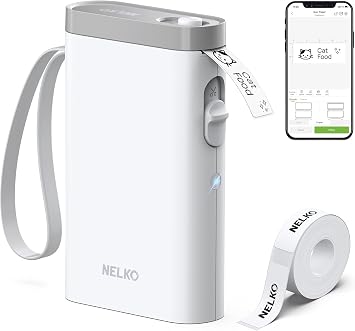
The T50M Pro is a thermal printer, which means it has no ink cartridge to run dry or clog. Instead, a heated print head passes over chemically treated tape, darkening it in the exact pattern of the text and icons you designed, then feeds the strip out already finished. That single fact explains most of what using it feels like: no ink to buy, no cartridge to align, and no possibility of the streaky fade you get from a dying inkjet. Because the device itself has no keyboard or screen worth designing on, the actual work happens on your phone. The SUPVAN app pairs over Bluetooth, and that's where the 30 fonts and 660-plus icons live, along with the layout tools for spacing text around a symbol or wrapping it onto multiple lines. You compose the label the way you'd compose a text message, then send it to the printer with a tap, and it prints at roughly one page a minute, unhurried but perfectly fine for one bin at a time rather than a hundred. The tape itself is laminated to be waterproof, so a label on a spice jar or a cable in a damp cupboard survives contact with liquid instead of dissolving into a smear. USB is there too, mostly as a fallback if you'd rather skip the phone entirely and print from a computer instead.
So the print head and the tape are really the boring, reliable part, ink-free and waterproof by design. The interesting decision is whether you want your phone to be the control panel for a tool that used to have its own buttons. If you're fine designing on a screen and tapping to print, the SUPVAN label maker is a genuinely capable little machine; if you wanted a standalone gadget with a keypad, this isn't that.
Who the SUPVAN T50M Pro is for, and who should skip it
Worth it if
- you already manage lists and design tasks from your phone
- you want waterproof labels for bins, jars, or cables
- you print labels occasionally rather than in bulk runs
- you don't mind an app-only design interface
Skip it if
- you want a standalone keypad device with no app step
- you need to print labels quickly in volume
- you're not comfortable pairing a tool over Bluetooth
If you want a standalone device with physical buttons and no app step, this isn't it.
The SUPVAN label maker verdict: worth it or not
If you're already running your errands, lists, and notes from your phone, adding label design to that habit costs you nothing extra, and this is a quiet yes. If you'd rather pick up a device, punch in letters, and print without opening an app first, look for one of the keypad models instead, because that's a different tool solving the same problem. Either way, the honest boundary here is the app dependency, not the print quality.
Once it's set up, the drawer full of loose cords or the pantry of identical jars stops being a small daily annoyance, you glance at a shelf and know exactly what's in each container without picking it up. Day one is mostly the app: pairing it, picking a font, printing a test strip that comes out cleaner than the marker version ever did. With well over seven thousand ratings behind it, the pattern that holds up is straightforward, people who stick with the app find the printing reliably crisp and the labels genuinely stay put and stay legible.
Amazon shoppers rate it 4 out of 5 across 7,453 ratings. That is their number, not ours.
Before you go
Is it worth buying a thermal label printer?
Yes, if you label things occasionally, since thermal printing skips ink entirely and the tape itself is what makes the mark, so there's nothing to dry out between uses.
Why is my Supvan label maker not connecting?
Most connection failures come down to Bluetooth pairing timing out or the app not having Bluetooth permissions granted, so toggling Bluetooth off and on and reopening the app usually resolves it.
How do I connect my label printer?
Open the SUPVAN app, turn on Bluetooth on your phone, and select the printer from the pairing menu, or connect it directly by USB if you'd rather skip the phone step.
What are the benefits of using Supvan?
The main benefits are ink-free thermal printing, waterproof tape that holds up in kitchens and garages, and a phone app with a larger font and icon library than a tiny built-in keypad could offer.
By the numbers
earn an unconditional yes at full priceOut of 52 office products we have reviewed. This one is a yes with a condition attached.
other reviews field the same questionIs it worth buying a thermal label printer?
comes up across our office coverage, not just here — one of the things worth settling before you choose.
Verdict datasetQuestion indexCC BY 4.0
Full spec sheet
| Brand | SUPVAN |
|---|---|
| Connectivity Technology | USB |
| Printing Technology | Thermal |
| Special Feature | Enhanced Image Quality, High Clarity, Inkless, Lightweight, Waterproof |
| Color | Black |
| Model Name | T50M Pro |
| Printer Output | Monochrome |
| Maximum Print Speed (Color) | 1 pages_per_minute |
Keep comparing


More office reviews.