Is the Nelko P21 Label Maker worth it?
A top pick in Office Electronics on Amazon (#7 when we checked, Oct 20, 2026)
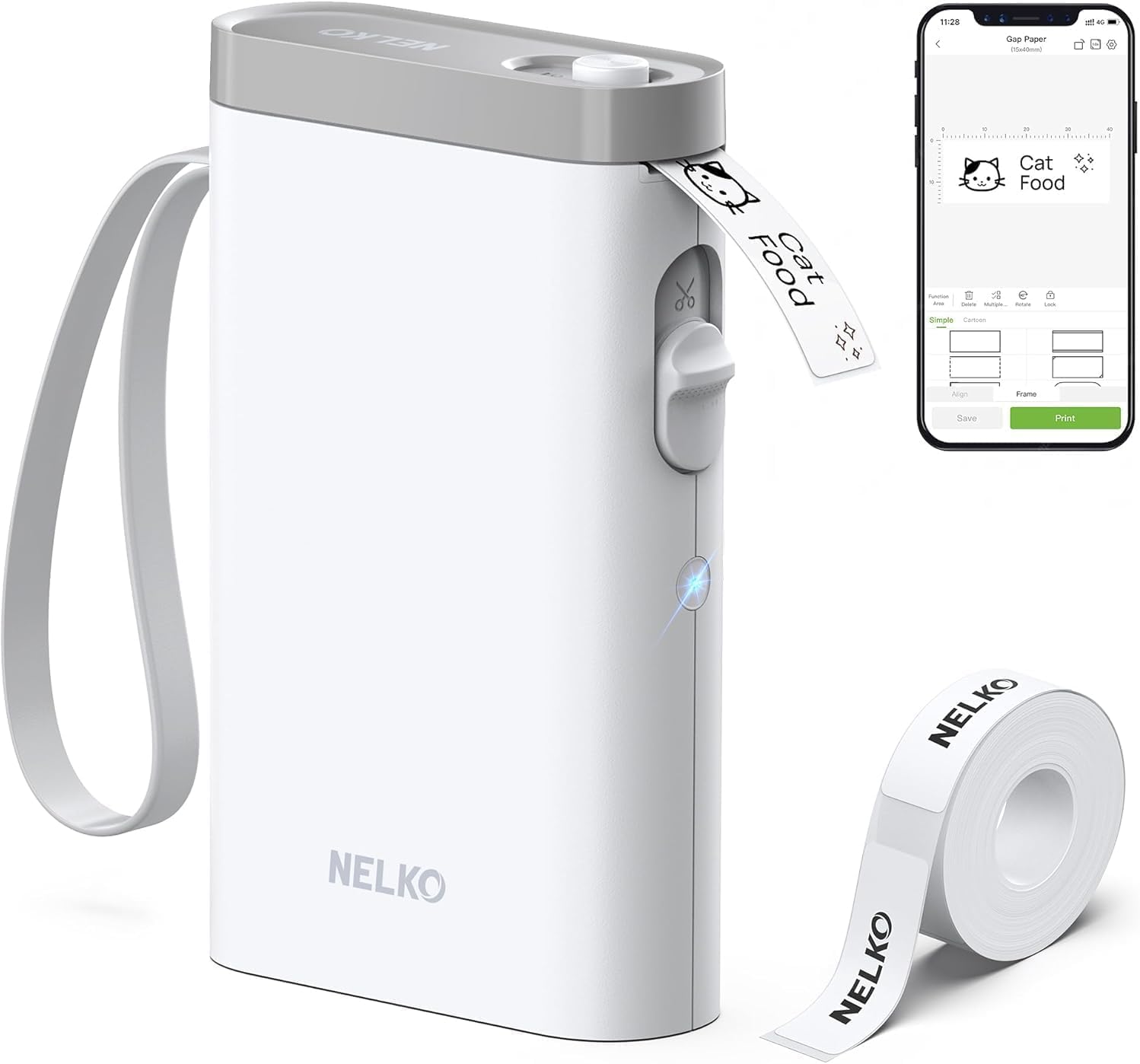
Worth it if you want a compact, rechargeable label maker that designs from an iOS or Android phone, prints monochrome labels without ink or toner, and offers templates, icons, QR codes, and barcodes for home, school, or office organization.
Good to know: If you want a standalone label maker or computer compatibility, look for a model with built-in controls or desktop support.
A compact phone label maker for clearer organization
The Nelko P21 Label Maker Machine puts label design on your phone instead of on the device itself. You connect through the Nelko app over Bluetooth, choose a template or create your own label, then print. That matters on a busy desk or classroom table because the same small printer can handle name tags, folder labels, reminder stickers, price tags, and storage labels without a larger setup.
The main design choice is direct thermal printing. The P21 uses heat-sensitive label media, so it prints black text without ink or toner. That keeps the printer compact and makes the routine simple: charge the built-in battery, load the label roll, select the correct size in the app, and print. Its listed resolution is 203 DPI, and the output is monochrome. Color comes from using patterned label tapes rather than from the printer creating colored ink.
The app supplies the creative range. It includes templates, icons, borders, languages, images, time, QR codes, and barcodes, while supported label lengths include options such as 14×40mm, 14×50mm, and 14×75mm. The trade is clear: you need a compatible iOS or Android phone, and the P21 does not work with computers. Continuous label tape is not supported, either. For phone-first organizing, that is a focused setup rather than extra hardware.
You get the P21, a roll of white label paper, a Type C charging cord, and a user manual, plus an app with a broad set of templates and design tools. Its rechargeable, inkless format also avoids buying printer ink or toner for labels.
Great for
- Home storage, food, cosmetics, and mail labels
- Teachers organizing books, bins, and student folders
- Small offices making file, notebook, reminder, or price labels
- Phone users who want portable, rechargeable printing
- RV owners labeling compact storage areas
Maybe not for you if
- You need to print from a computer
- You prefer a label maker with built-in buttons and screen
- You need continuous label tape rather than fixed-length labels
The Nelko P21 is a strong fit for phone-first organization at home, school, or work. Its compact body, rechargeable battery, Bluetooth connection, and inkless thermal printing make short labeling jobs straightforward, while the app gives you room for templates, icons, QR codes, and barcodes. The important condition is comfort with designing from a phone. Check your phone compatibility, especially if you use a Google Pixel on Android 14, and remember that labels are monochrome unless the tape supplies a pattern. For quick, tidy labeling, it earns its place.
Amazon shoppers rate it 4.4 out of 5 across 24,767 ratings. That is their number, not ours.
Want the full picture? Read our Nelko P21 Label Maker Machine with Tape review.
Quick answers before you buy
Does the Nelko P21 work with iPhone and Android phones?
Yes. It connects to iOS and Android phones through the Nelko app over Bluetooth. iOS phones need iOS 13 or above. Google Pixel phones running Android 14 are not compatible.
Can the P21 print from a computer?
No. The listing says the P21 does not work with computers. It is designed for Bluetooth connection to a compatible iOS or Android phone through the Nelko app.
What can the app create?
The app supports text, images, QR codes, barcodes, borders, time, icons, and templates. It lists more than 3,600 icons, 700 borders, 5,500 materials, 750 templates, and 29 languages.
What is included with the label maker?
The box includes one P21 label maker, one roll of white label paper, a Type C charging cord, a user manual, and a setup guide. A charging adapter is not included.
Does it print color labels or continuous tape?
No. The printer output is monochrome, so it prints black text. Patterned label tapes can add color to the label design, but continuous label tapes are not supported.
The spec sheet, for those who want it
| Printer Type | Thermal |
|---|---|
| Printer Output Type | Monochrome |
| Item Weight | 11.52 ounces |
| Item Dimensions D x W x H | 6.65"D x 4.5"W x 1.9"H |
| Controller Type | iOS, Android |
| Print media | Labels |
| Scanner Type | Portable |
| Maximum Copy Speed Black and White | 30 pages_per_minute |
| Compatible Devices | Smartphones, iPhone, IOS & Android |
| Ink Color | Black |
| Additional Printer Functions | Print Only |
| Control Method | App |
| Number of Trays | 1 |
| Processor Count | 1 |
| Resolution | 203 x 203 DPI |
| Maximum Media Size | 14X75mm |
More top picks in Office Electronics


More top picks from Amazon, or every office review.