Is the Amazon Fire TV Stick 4K worth it?
#2 in Electronics on Amazon

Worth it if It is worth considering if you want a compact way to add 4K HDR10+ streaming, major apps, live and free TV, and Alexa controls to a TV with an HDMI port. The new remote also handles TV power and volume, which keeps everyday viewing simpler.
Good to know: If your TV already offers the apps and voice controls you want, look for a device that adds a more specific upgrade.
A 4K streaming stick that keeps viewing controls close
The Amazon Fire TV Stick 4K is built around a simple daily problem: getting from a switched-off TV to something worth watching without juggling several remotes. It plugs into the TV’s HDMI port, and the listing says Direct Power can draw power from the TV, so setup can avoid a separate wall adapter.
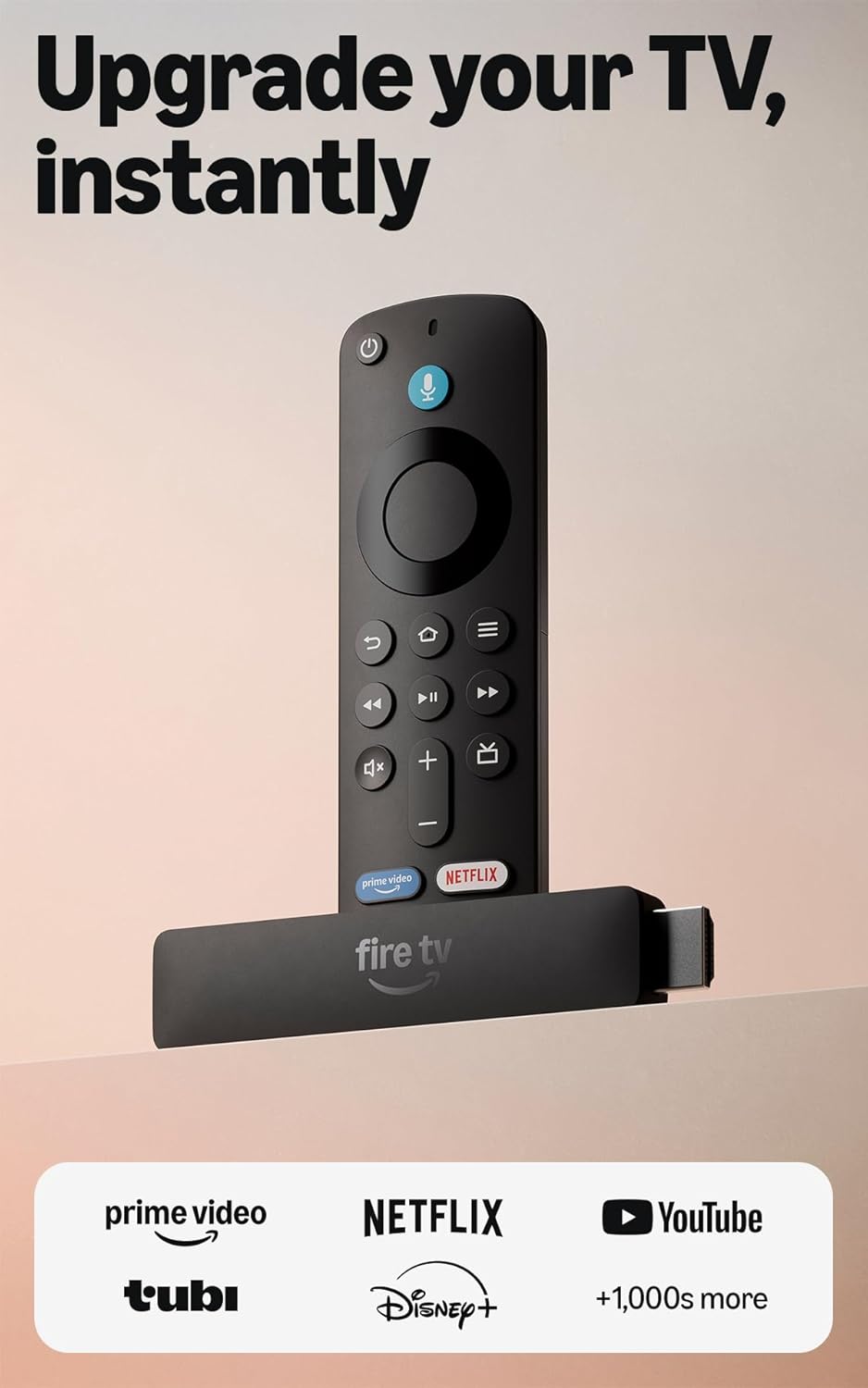
The design choice that matters most is the new Fire TV Remote. It combines TV power and volume controls with a navigation ring, a voice button, and dedicated buttons for the Shortcut Panel, Fire TV experience menu, and Live TV. That means the control path is concentrated in one remote instead of splitting basic actions across the television and streaming device. The practical result is fewer steps when you want to browse, adjust sound, or move into live programming.
The stick also supports 4K with HDR10+, provided your TV and content support those formats. Its app selection includes Prime Video, Netflix, YouTube, Disney+, Apple TV, HBO Max, Hulu, Peacock, Paramount+, and thousands more. Subscription fees may apply. Alexa voice control can help find shows, manage compatible smart-home controls, and check Ring cameras. Bluetooth headphone support adds private listening, which is useful when the room needs to stay quiet.
You get one compact HDMI streaming device, a remote with TV controls, access to major apps and free or live TV options, plus Alexa and Bluetooth listening features. It can replace a more fragmented setup for a TV that needs those capabilities.
Great for
- TV owners adding 4K HDR10+ streaming through an HDMI port
- Viewers using several major streaming apps
- Households wanting TV power and volume on the Fire TV Remote
- Alexa users who also manage compatible smart-home devices
- People who want Bluetooth headphone listening
Maybe not for you if
- Your TV already has the streaming apps and controls you need
- You need a device for a display without an HDMI port
- You want to avoid services that may require separate subscriptions
The Amazon Fire TV Stick 4K makes sense for viewers who want a straightforward streaming upgrade for an HDMI-equipped TV, especially when 4K HDR10+, broad app access, live and free TV, or Alexa control are part of the plan. The remote is doing useful work here, with TV power, volume, voice search, and direct paths to key menus. Check that your TV supports the formats you want and remember that some services require subscriptions. For the right setup, it puts more viewing control in one place.
Amazon shoppers rate it 1.8 out of 5 across 18 ratings. That is their number, not ours.
Quick answers before you buy
Does it support 4K and HDR10+?
Yes. The listing says it supports 4K streaming with HDR10+. Your TV and the content also need to support those formats.
How does it connect to a TV?
It plugs into an HDMI port. The listing says Direct Power can power it from the TV, with no wall adapter necessary.
What apps and services are available?
It supports Prime Video, Netflix, YouTube, Disney+, Apple TV, HBO Max, Hulu, Peacock, Paramount+, and thousands more. Subscription fees may apply.
Can the remote control the TV?
Yes. The Fire TV Remote includes TV power and volume controls, plus voice search and dedicated buttons for selected Fire TV features.
Can I use Bluetooth headphones?
Yes. The product description says you can connect Bluetooth headphones for private listening.
More top picks in Electronics

More top picks from Amazon, or every electronics review.