Is Microsoft Office Home 2024's one-time purchase worth it?
Worth it, if you're a one-device household
Why the Office subscription prompt makes you close the laptop
You open a fresh laptop, click into Word, and it stops you cold: sign in, subscribe, pay every year, just to write a resume. You close the laptop. You've owned software before, back when buying it meant actually owning it. Somewhere between the free version you tolerated and the subscription you don't want sits Microsoft Office Home 2024's one-time purchase, and that's the itch this page scratches.
How Microsoft Office Home 2024's one-time purchase actually works
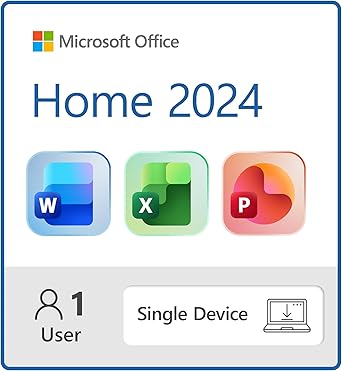
Here's where your money actually goes. A one-time purchase buys you a license key tied to a single machine, one Windows laptop or one Mac, activated once through a Microsoft account and then done. No monthly meter running in the background. What you get for that flat fee is Word, Excel and PowerPoint exactly as they exist right now, frozen at this feature set. Microsoft will patch security holes for years, but the new features that show up in Microsoft 365, the AI writing tools, the extra cloud storage, the collaboration extras, those ship to subscribers only. You're not paying for a stream of updates, you're paying to lock in today's software and walk away from the meter. That trade only makes sense against the number it's competing with: a Microsoft 365 subscription that renews every year, cheap at first glance but recurring. Do the math against your own subscription bill and the one-time purchase usually pays for itself within two or three years of renewals, and every year past that is pure savings. The marketing skips this part because it wants you thinking about the sticker, not the ownership horizon. The other quiet detail: this license lives on the device you install it on. Move to a new laptop in a few years and you're either transferring the license or buying it again, there's no float across five devices the way a subscription account gives you. One computer, one household, one purchase, that's the shape this was built for.
So the real choice isn't Office versus no Office, it's a flat fee against a meter. If you're going to run this machine for several years without churning through new laptops, the one-time purchase wins the math easily. If you need it running across a phone, a tablet and two laptops with cloud storage thrown in, you're paying for the wrong thing.
Who the one-time Office purchase is for, and who should stay on 365
Worth it if
- you keep one laptop or Mac for several years before replacing it
- you want Word, Excel and PowerPoint without a recurring bill
- you're fine with today's feature set instead of the newest updates
Skip it if
- you use Office across a phone, tablet and multiple laptops
- you want the newest AI and collaboration features as they ship
- you replace your laptop often and don't want to rebuy the license
Skip it if you need Office running across several devices or want the newest features the moment they ship.
The Microsoft Office Home 2024 one-time purchase verdict
If you're a one-device household who wants Word and Excel to just work for years without a bill showing up, this is a quiet yes. If you need Office on multiple devices, want the newest features as they land, or expect to hop laptops often, the subscription earns its keep instead.
The problem this removes is simple: no more sign-in prompts asking you to subscribe just to write a letter, no renewal date creeping up on your calendar. Install it once on the laptop you're using tonight, open Word, and it just sits there working, the way software used to. A few years from now you'll have forgotten there was ever a bill attached to it at all.
Amazon shoppers rate it 4 out of 5 across 1,883 ratings. That is their number, not ours.
Before you go
Is Microsoft Office 2024 a one-time purchase?
Yes, it's a single upfront license for one PC or Mac rather than a subscription, though it only receives security updates instead of new feature drops.
What is the difference between Microsoft Office Home and Standard?
Home is built for personal use with Word, Excel and PowerPoint, while Standard and volume-license editions add apps like Outlook and Publisher aimed at running an office rather than a household.
Should I buy Microsoft Office Home or Home and Business?
Home and Business adds Outlook for managing work email and contacts on that same machine, so it's only worth the extra cost if you actually need a desktop email client tied to it.
What are the disadvantages of Office one-time purchase?
The license is locked to one device and stops gaining new features once support winds down, so it suits people who won't need the newest tools or access from several devices.
Keep comparing


Elsewhere in software

More software reviews.