Why reading before bed still feels wrong on a phone
You're in bed, thumb hovering over one more page, and the phone screen is doing that thing where it lights up your whole face and wakes you up a little more with every scroll. Your eyes ache, the room is dark, and you're wondering whether a Kindle Paperwhite is worth it or just another gadget headed for a drawer. That's the real question here: not whether it can hold books, but whether it changes how reading actually feels at the end of a long day.
How the Kindle Paperwhite's screen actually works
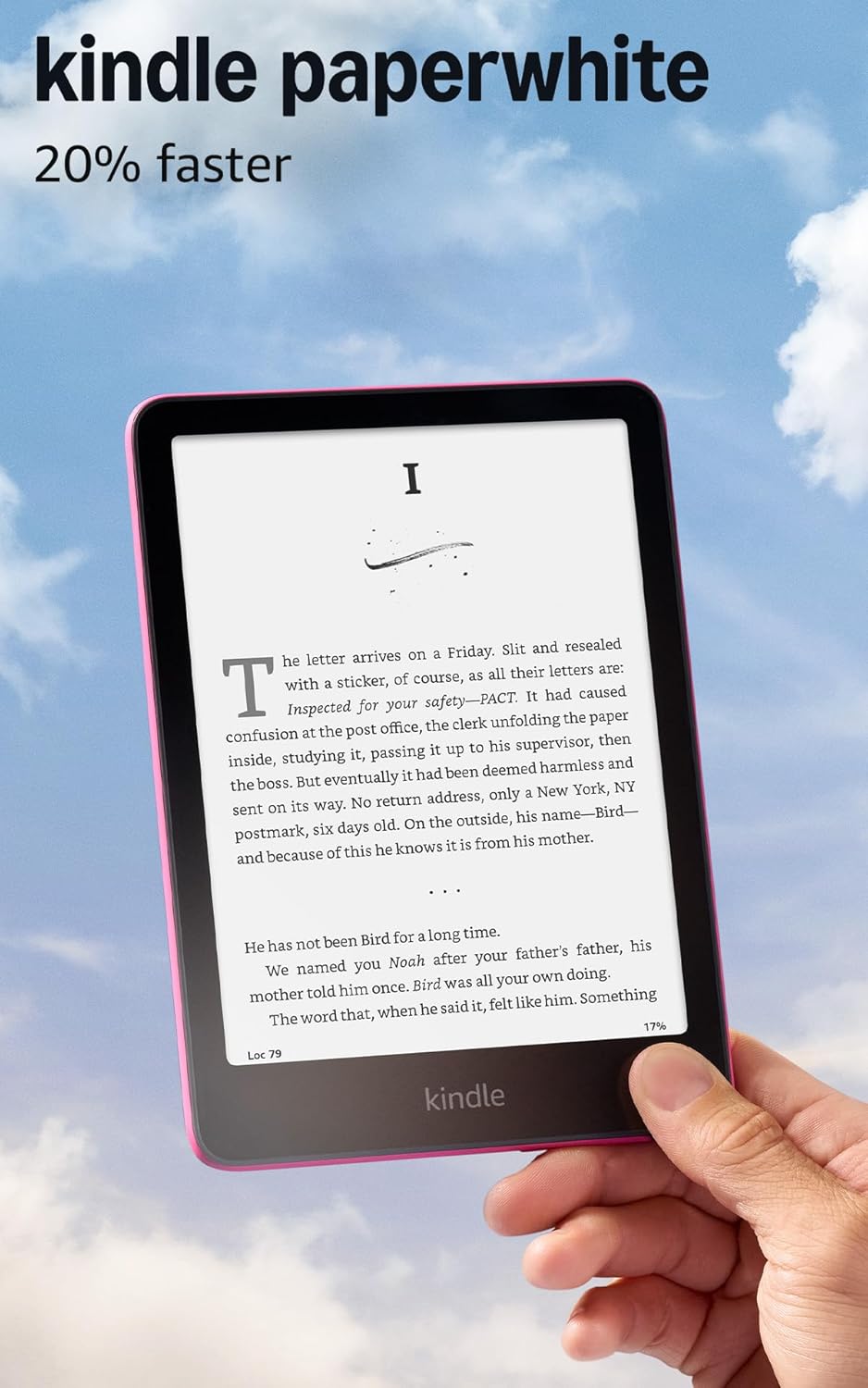
Here's the bit the listing buries: this screen isn't backlit, it's front lit. Tiny LEDs sit along the bottom edge of the display and shine down onto the page, so what reaches your eyes is light bouncing off the surface, the same way it bounces off actual paper, rather than light beaming straight at you the way a phone or tablet screen does. That's the whole trick behind sliding the display from cool white to warm amber: you're not dimming a backlight, you're changing the color of light landing on ink, which is why reading at midnight doesn't leave your eyes buzzing the way a phone does. It also explains the battery number that sounds made up until you think about it: up to 12 weeks on a single USB-C charge. An e-ink display only spends power when the page actually turns; once the words are printed onto that screen, it holds them there for free, the way a printed page just sits on a shelf. A tablet burns battery constantly to keep a backlit image alive. That's the entire difference between charging weekly and charging seasonally. The higher contrast panel and faster page turns are the smaller upgrades here, and they matter less than the fact that the whole experience is deliberately boring: no notifications, no apps pulling your attention sideways, just text. The waterproofing means the bath or the pool stop being places you have to protect a device from, which quietly expands where the thing actually lives in your day.
So this isn't really a tablet purchase, it's a purchase of stillness: paper-like reading, weeks instead of hours of battery, and a screen built to be ignored rather than checked. If you already read fine on your phone, none of that changes anything for you. If your eyes and your attention span are the thing you're trying to fix, this is what actually fixes it.
Who the Kindle Paperwhite is for, and who should skip it
Worth it if
- You read before bed and want the phone out of the equation
- You want weeks of battery life, not hours
- You want a device that only does one thing well
Skip it if
- You already have a tablet you're happy reading on
- You want a backlit color screen or note-taking features
- You need a device for more than reading
If you want color pages, note-taking, or a device that does more than read, this isn't it.
Is the Kindle Paperwhite worth it: the verdict
If you already have a tablet you love reading on, you don't need this, the Kindle just does one job instead of ten. But if you're the kind of person who reads before bed and resents the phone for it, this is a quiet yes: it'll sit on the nightstand and just work for weeks at a time. It won't replace a tablet for anything else, and if you want color pages or note-taking, look elsewhere.
The fix here is small but real: no more phone glow before sleep, no more app pulling your eye sideways mid chapter. Charge it once on day one, drop it in a bag or on the nightstand, and the next time you think about a charger is probably next month. With over twenty thousand ratings behind it, the buyers who like it keep landing on the same two things: how long the battery holds and how easy it is to just pick up and read. That's a comfortable number to buy into.
Amazon shoppers rate it 4.6 out of 5 across 22,704 ratings. That is their number, not ours.
Before you go
What's the difference between a Paperwhite and a Kindle?
The Paperwhite adds a glare-free waterproof display, adjustable amber lighting, and a higher contrast screen the basic Kindle doesn't have.
What is so good about Kindle Paperwhite?
Its e-ink screen reads like paper, lasts up to 12 weeks on one charge, and has no apps or notifications to pull your attention away from the page.
Is Kindle Paperwhite worth it over basic?
Yes, if you want a glare-free waterproof screen with adjustable warm lighting, features the basic Kindle skips entirely.
Want our verdicts to surface first when you search?
We also post verdicts on YouTube.